Grid first, like Excel
Keyboard editing, Tab and arrows, insert below, phases and indent. Paste rows straight from Excel.
- New rows follow the row above
- Undo on every delete
Scheduling
Type your plan like a spreadsheet, link work by name, and Critova runs a real critical-path calculation on your working calendar as you type.
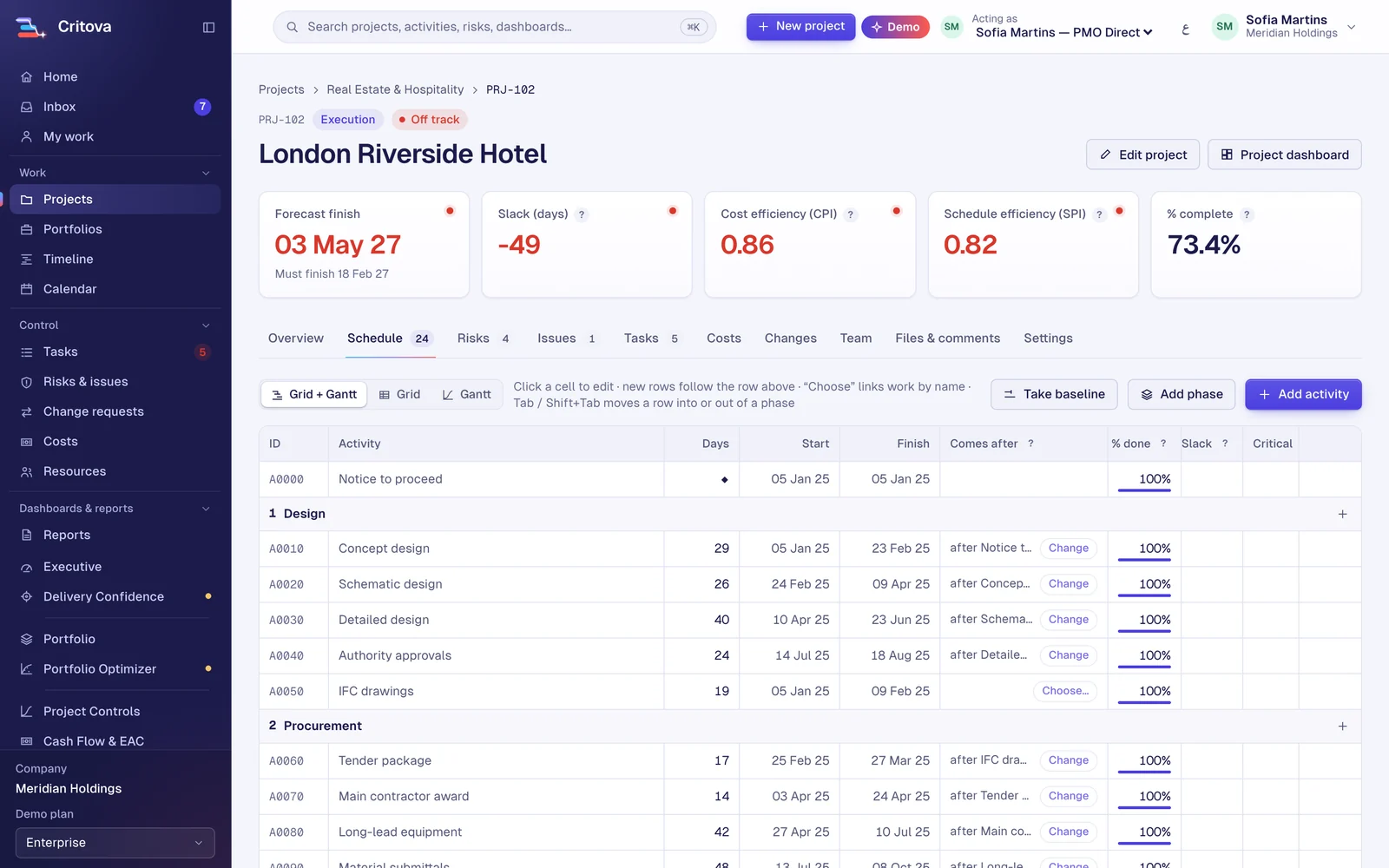
Keyboard editing, Tab and arrows, insert below, phases and indent. Paste rows straight from Excel.
Pick what comes before by name. Choose after, starts with or finishes with, and add waiting days. Power users can still type A0010FS+2.
Four link types with lags, constraints, total and free float, near-critical work and the longest path, on per-activity calendars.
Any working week, public holidays per country and your own holidays on top, with time zones and Gregorian or Hijri date display.
Take a baseline in one click and see baseline ghosts on the Gantt, slip in days and the finish against the committed date.
The fourteen DCMA checks with every failing activity listed, and a GAO best-practice scorecard.
The engine is built for thousands of activities per project. The design target is a reschedule of 5,000 activities in under a second.
Yes: XER and P6 XML, as well as MS Project XML, Excel and CSV, with a preview first.
Free during our launch until 31 March 2027.
